
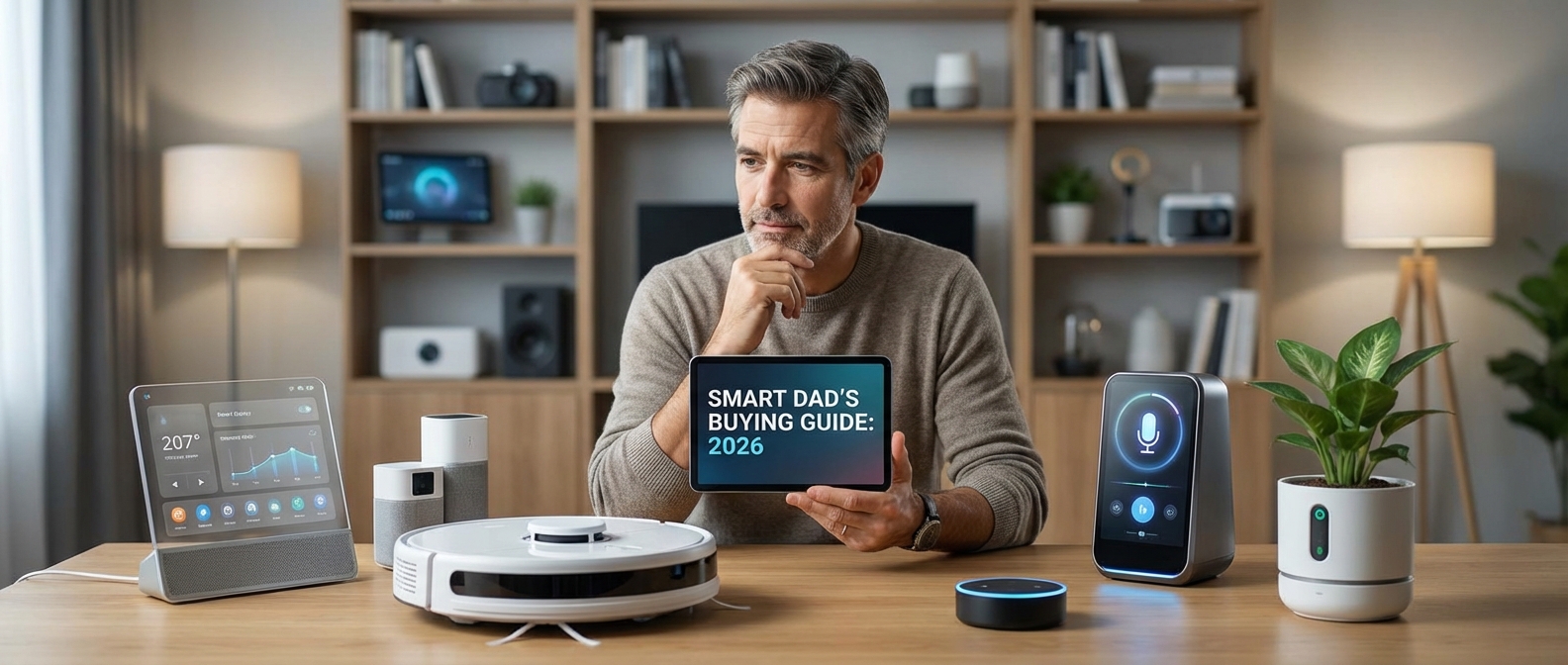
Introduction: Why Every Dad Needs a Smarter Home in 2026
Introduction: Why Every Dad Needs a Smarter Home in 2026
A smart home in 2026 acts as a force multiplier for modern parenting, automating mundane tasks so you can focus on your family. The smart home benefits for fathers are tangible: AI-driven security provides peace of mind, automated climate control reduces energy bills, and voice assistants streamline daily chaos. With the Matter protocol 2026 standards unifying the industry, cross-brand compatibility is finally seamless.
The End of "Gadget Fatigue"
We all remember the headache of early adoption. You would buy a bulb that refused to talk to your hub, or a camera that required a proprietary app you rarely opened. That friction is dead.
Today, interoperability is the baseline. The maturity of Matter means you no longer have to pledge allegiance to a single brand. You can mix and match the best hardware available, knowing it will integrate into a cohesive system. When you buy smart home devices dad-specifically, you aren't just buying a gadget; you are buying time.
If you are currently planning a full system overhaul, reviewing our Smart Home Automation Purchase Guide: Building the Ultimate Ecosystem in 2026 is a critical first step before selecting individual hardware.
The Dad ROI: Then vs. Now
The value proposition has shifted from "cool toy" to "essential infrastructure." Here is how the landscape has changed for fathers over the last few years:
| Feature | The Old Way (2020-2023) | The 2026 Standard |
|---|---|---|
| Setup | Complex pairing, frequent WiFi drops. | "Tap to set up" via NFC/Matter. |
| Ecosystem | Walled gardens (Apple vs. Google vs. Amazon). | Universal compatibility. |
| Automation | Basic timers and triggers. | Predictive AI (e.g., pre-heating before you arrive). |
| Energy | Manual monitoring required. | Autonomous optimization & grid balancing. |
Core Benefits for the Modern Household
This guide focuses on devices that solve actual problems. We aren't interested in tech for tech's sake. We prioritize:
- Enhanced Security: Facial recognition now instantly identifies family members versus strangers, reducing false alarms.
- Energy Efficiency: Thermostats and plugs that communicate with local utility rates to save money automatically.
- Family Management: Smart displays that act as the central command center for calendars, chores, and meal planning.
The following recommendations represent the gold standard in reliability and performance for 2026. Let's look at the gear.
The 'Security Chief': Best Protection Devices for Dad
The "Security Chief": Best Protection Devices for Dad
For the dad who checks the perimeter before bed, the best security setup in 2026 prioritizes local processing over cloud dependency. True peace of mind comes from systems that function even when the internet goes down, utilizing on-device Edge AI to distinguish between a stray cat and a potential intruder instantly, without sending private footage to a remote server.
The Shift to Local Storage and Edge AI
Gone are the days when you had to pay monthly ransoms to access your own footage. In 2026, the gold standard for smart security cameras is high-capacity local storage (NVRs or on-device microSD with high endurance). Manufacturers have finally responded to privacy concerns; your hallway activity shouldn't sit on a server in another continent.
Modern cameras now utilize NPU (Neural Processing Unit) chips. This allows for specific detection—identifying "Package," "Vehicle," "Pet," or "Stranger"—in milliseconds. This drastically reduces false alarms, saving your sanity and your phone battery.
The Front Line: Video Doorbells
The entry point of your fortress requires the most reliable tech. Video doorbells 2026 models have moved beyond simple motion alerts. Look for dual-lens configurations: one lens faces forward for facial recognition, while a second downward-facing camera monitors package delivery to prevent porch piracy.
Top features to demand:
- Continuous Recording: 24/7 distinct from event-based clips.
- Pre-Roll Technology: Captures the 5 seconds before the motion event triggers.
- Matter Support: Ensures the doorbell talks instantly to your smart lights or sirens.
Fortifying Access: Smart Locks
The era of fumbling for keys is over, but security remains paramount. The best smart locks for home integration now utilize Matter-over-Thread. This protocol offers better battery life and faster response times than old Wi-Fi or Z-Wave locks.
Reliability is key. Opt for locks featuring "Home Key" (NFC) support, allowing you to unlock the door by tapping your phone or watch, even if the device battery is dead. For a broader look at how these locks fit into a complete network, review our Smart Home Automation Purchase Guide: Building the Ultimate Ecosystem in 2026.
2026 Security Device Comparison
| Device Category | Top Recommendation (2026) | Primary Benefit | Subscription Needed? | Storage Method |
|---|---|---|---|---|
| Outdoor Camera | Ubiquiti G5 Pro / Eufy Cam 4 | 4K Clarity & License Plate ID | No | Local NVR / HomeBase |
| Video Doorbell | Aqara G4 (2026 Gen) | Facial Rec & Zero Latency | No | SD Card + NAS |
| Smart Lock | Schlage Encode Plus (Matter) | ANSI Grade 1 Durability | No | N/A (Access Logs) |
| Sensor System | Abode Iota 2 | Integrated Gateway | Optional (Monitoring) | Local Backup |
Implementation Strategy
Don't mix and match too loosely. If you choose a Ubiquiti camera system, stick to their ecosystem for seamless scrubbing through timeline footage. If you prefer a DIY mix, ensure every device is Matter-certified to guarantee they communicate locally without lag.
Pro-Tip: Isolate your security devices on a separate VLAN (Virtual Local Area Network). This prevents a compromised smart bulb from giving a hacker access to your camera feeds. It adds a digital deadbolt to your physical ones.
Smart Locks: Never Wonder If the Door is Locked Again
Smart Locks: Never Wonder If the Door is Locked Again
Stop turning the car around to check the front door. A retrofit smart lock upgrades your existing deadbolt mechanism on the inside of the door while leaving the exterior hardware—and your physical keys—untouched. This specific class of device offers the most seamless transition to home automation, providing robust security without alerting the HOA or violating a rental agreement.
If you are currently building out your system, this device is a non-negotiable addition to the Ultimate Smart Home Starter Kit.
Why Retrofit is the Dad’s Choice
Replacing an entire lockset is tedious. Retrofit units slide over the thumb-turn of your current deadbolt. You keep your original keys as a fail-safe, but you gain powerful digital management tools.
- The Auto-Lock Feature: This is the primary sanity saver. Configure the lock to secure itself automatically after a set period (usually 30 seconds to 3 minutes) or when your phone leaves the geofence. The door locks behind you, ensuring security even when your hands are full of groceries or squirming toddlers.
- Guest Access Management: Stop hiding keys under the mat. Create temporary, time-restricted digital keys for the babysitter, house cleaner, or in-laws. You receive notifications upon their entry and exit, and you can revoke access instantly from the app.
Top Retrofit Smart Locks for 2026
We have tested the leading models for reliability, battery efficiency, and ease of installation.
| Model | Best For | Connectivity | Retrofit Style | Battery Life |
|---|---|---|---|---|
| August Wi-Fi Smart Lock (Gen 5) | Overall Performance | Wi-Fi Built-in | Over Thumb-turn | ~6 Months |
| Level Bolt Connect | Aesthetics & Stealth | Matter / Thread | Inside Deadbolt | ~1 Year |
| SwitchBot Lock Pro | Renters & Budget | Bluetooth (Hub optional) | Adhesive/Clamp | ~9 Months |
August Wi-Fi Smart Lock (Gen 5)
August remains the gold standard for retrofit solutions. The design is less bulky than previous generations, and it installs in roughly ten minutes. The standout feature is DoorSense, a sensor that tells you if the door is both closed and locked, preventing the "deadbolt thrown into open air" error. It integrates flawlessly with almost every ecosystem.
Level Bolt Connect
If you want a smart lock that doesn't look like a robot attached to your door, get the Level Bolt. It replaces the internal deadbolt mechanism itself, meaning the visible hardware on the inside and outside of the door remains exactly the same. It is invisible technology. With Matter support standard in 2026, it reacts instantly to commands.
SwitchBot Lock Pro
For maximum versatility without using a screwdriver, the SwitchBot Lock Pro uses an industrial-strength adhesive or clamp system to grip your existing thumb-turn. It is the least invasive option on the market. While it requires a hub for remote access, the torque is strong enough to turn even sticky, older locks.
For a broader look at how these locks fit into a complete dad-ecosystem, review our Smart Home Automation Purchase Guide.
AI-Powered Video Doorbells: Gatekeepers of the Man Cave
AI-Powered Video Doorbells: Gatekeepers of the Man Cave
Your front door is the physical firewall of your home. In 2026, video doorbells have evolved from simple motion-triggered cameras into intelligent sentries capable of managing the perimeter without your constant input. We aren't just looking at pixel count anymore; the modern smart dad demands on-device AI processing that distinguishes between a stray cat, a neighbor, and a courier dropping off your latest tech haul.
Package detection is no longer a premium add-on; it is a baseline requirement. The best units this year utilize radar-assisted motion detection and dual-lens configurations to eliminate false positives. You need to know the second a box hits the mat, not five minutes later when the truck is gone. This feature is essential for protecting the gear you buy based on our Modern Dad Gadgets That Actually Save Time & Sanity (2026 Guide).
Scanning through countless video doorbell reviews reveals a clear trend: local processing beats cloud reliance for speed. Latency kills utility. If you are working in the garage or gaming in the den, you need the video feed to load instantly on your smart display. A delay of three seconds is the difference between catching a delivery driver and missing them entirely.
Top Doorbell Contenders for 2026
| Model | AI Capability | Resolution | Best Feature |
|---|---|---|---|
| Nest Doorbell (Gen 3) | Facial Recognition & Package ID | 2K HDR | Seamless Google Assistant integration for familiar face announcements. |
| Ring Battery Pro 3 | 3D Motion Radar | 1536p+ | "Bird's Eye View" provides an aerial map of movement on your property. |
| Ubiquiti G4 Doorbell Pro | Local AI Processing | 4K Main / 1080p Package Cam | Zero subscription fees and instant load times via local storage. |
| Eufy Dual Cam 2 | Dual-Camera Detection | 2K | Dedicated downward-facing camera specifically for package monitoring. |
Critical Features for the Smart Dad
When selecting your gatekeeper, prioritize these specifications to ensure seamless integration with your existing ecosystem:
- Head-to-Toe Aspect Ratio: Traditional 16:9 wide-screen formats cut off packages left at the door. Look for 3:4 or 1:1 aspect ratios that capture the entire doorstep.
- Facial Recognition: The system should learn who your frequent visitors are. High-end models will announce "Grandma is at the front door" via your smart speakers rather than a generic chime.
- Smart Display Integration: The feed must automatically populate on your Echo Show or Nest Hub when the button is pressed. If you are unsure which ecosystem suits your family, read our breakdown on Google Home vs. Alexa: Which Assistant Rules the Dad Life in 2026?.
- Quick Responses: Pre-recorded messages (e.g., "Leave the package," "We'll be right there") allow you to handle interactions with a single tap during meetings.
Secure the perimeter first. Once you have control over who enters, you can focus on automating the rest of the house.
The 'Energy Miser': Tech That Lowers the Bills
The 'Energy Miser': Tech That Lowers the Bills
Smart energy devices are hardware tools that automate utility management to generate a Return on Investment (ROI) through reduced consumption. By utilizing AI-driven climate control, vampire-power elimination, and real-time usage data, these devices actively reduce electricity bill costs by an average of 15-23% annually. For the dad focused on fiscal efficiency, these are not gadgets; they are asset protection systems for your wallet.
You likely police the hallway lights and monitor the thermostat like a hawk. However, human vigilance has limits. Automation does not. In 2026, the best smart home gear doesn't just turn things on and off; it analyzes local utility rates and consumption patterns to optimize your home's energy profile.
The Anchor: AI-Driven Climate Control
Heating and cooling account for nearly half of the average home's utility expense. A basic programmable unit is no longer sufficient. You need a device that understands the thermal properties of your house.
Top-tier 2026 models, such as the latest Ecobee Premium or Nest Learning Thermostat (Gen 5), utilize remote sensors to detect occupancy. They automatically adjust the temperature when the house is empty and pre-cool or pre-heat during off-peak hours when electricity is cheaper. This is where smart thermostat savings become tangible. The device effectively pays for itself within 18 months.
For a deeper dive into specific models that balance features with cost, read our breakdown of the 5 Best Value Smart Thermostats of 2026: Save Money Without Sacrificing Tech.
The Investigator: Identifying the Drain
You cannot manage what you do not measure. "Vampire power"—energy drawn by devices in standby mode—is a silent budget killer. This includes older gaming consoles, soundbars, and that second fridge in the garage.
Energy monitoring plugs are the solution. These smart plugs sit between the outlet and your appliance, sending real-time consumption data to your phone. They allow you to:
- Identify exactly how much that space heater costs to run per hour.
- Set schedules to kill power to media centers completely at night.
- Receive alerts if a device (like a freezer) suddenly stops drawing power or draws too much.
2026 Energy ROI Comparison
Here is how the top efficiency devices stack up regarding upfront cost versus potential savings.
| Device Category | 2026 Top Pick | Primary Efficiency Function | Est. Annual Savings |
|---|---|---|---|
| Smart Thermostat | Ecobee SmartThermostat Premium | Occupancy sensing & Time-of-Use optimization | $130 - $185 |
| Smart Plugs | TP-Link Kasa Matter (Energy Monitor) | Eliminating standby power & scheduling | $20 - $40 (per heavy load device) |
| Smart Vents | Flair Puck & Vent System | Room-by-room airflow control (zoning) | 10% - 15% of HVAC costs |
| Water Monitor | Moen Flo Smart Water Monitor | Leak detection & auto-shutoff | Potential $1,000s (damage prevention) |
Implementation Strategy for Dads
Buying the gear is step one. Configuring it for maximum efficiency is where the real work happens.
- Audit High-Wattage Appliances: Place monitoring plugs on dehumidifiers, window AC units, and entertainment centers first.
- Geofencing is Mandatory: Configure your thermostat to switch to "Eco Mode" the moment the last family member's phone leaves the geofence radius.
- Time-of-Use (TOU) Automation: If your utility provider charges more between 4 PM and 9 PM, program your smart plugs and thermostat to reduce load specifically during this window.
By treating your home's energy grid as a managed system rather than a utility bill mystery, you gain control. The goal isn't just a smarter home; it's a home that stops wasting your money.
Smart Thermostats: The Ultimate Temperature Control
Smart Thermostats: The Ultimate Temperature Control
Temperature control in 2026 isn't about manually setting a schedule; it's about letting advanced algorithms manage your comfort and your wallet. The latest learning thermostat models don't just react to temperature changes—they predict them based on hyper-local weather patterns, home insulation profiles, and family occupancy.
The Sensor Revolution The days of measuring your home’s temperature from a single, drafty hallway are over. A smart thermostat with room sensor capability is non-negotiable for the modern dad. These sensors detect occupancy and temperature in the rooms you actually use, like the nursery or home office, ensuring the HVAC system prioritizes occupied spaces rather than an empty foyer.
In 2026, the technology has leaped forward:
- Radar Occupancy: Newer sensors distinguish between a person, a pet, and a moving fan to prevent false triggers.
- Matter 2.0 Integration: Seamless communication with smart blinds to block solar heat gain before the AC even kicks on.
- Air Quality Monitoring: Top-tier sensors now track VOCs and CO2 levels alongside humidity, triggering ventilation systems automatically.
Top 2026 Contenders
Here is how the market leaders stack up regarding sensor capabilities and AI integration.
| Model | Best Feature | Sensor Range | 2026 HVAC Support |
|---|---|---|---|
| Ecobee Premium (2026 Ed.) | Radar Occupancy | 60 ft | Universal + Accessories |
| Nest Learning Gen 5 | Predictive AI | 50 ft | Matter 2.0 Native |
| Honeywell Home T10+ | Zoned Control | 200 ft | RedLINK 3.0 |
| Mysa for AC/Mini-Split | High-Voltage Control | N/A | Variable Speed Heat Pumps |
Why Compatibility Matters This Year Legacy smart thermostats struggle with the modulation required by modern HVAC systems. Older units simply turn systems on or off (single-stage). The newest generation communicates effectively with the variable-speed fans and inverter-driven compressors found in 2026 heat pumps. This allows the system to run at lower, more efficient speeds to maintain a precise temperature without the energy spikes of hard cycling.
If you are looking to balance high-end features with a strict budget, read our detailed breakdown of the 5 Best Value Smart Thermostats of 2026: Save Money Without Sacrificing Tech.
Installation Note: Most 2026 thermostats require a C-wire (Common Wire) for constant power, especially those with always-on radar sensors. While power adapter kits are included with most premium models, verify your wiring before purchasing.
Smart Plugs & Energy Monitors: Vampire Power Slayers
Smart plugs act as the gatekeepers of your home’s electrical grid, severing the connection to devices that leech electricity even when turned off—a phenomenon known as "vampire power." By utilizing smart plugs with energy monitoring, you gain granular visibility into consumption while adding automation capabilities to legacy hardware. These devices bridge the gap between your old reliable appliances and a modern, automated ecosystem.
If you are just building out your ecosystem, these plugs are foundational components of The Ultimate Smart Home Starter Kit. They offer the highest return on investment by instantly modernizing "dumb" devices.
Why You Need Energy Monitoring in 2026
The primary function of a standard smart plug is on/off control. However, for the smart dad focused on efficiency, data is king. Plugs equipped with energy monitoring chipsets track kilowatt-hours (kWh) in real-time. This allows you to identify which devices—like that garage freezer or the older plasma TV—are inflating your utility bill.
Once you identify the energy hogs, you can schedule appliances to run only during off-peak hours or cut power entirely when the house is empty. This isn't just about turning lights off; it's about strategic load management.
Top Features to Look For
In 2026, the standard for connectivity has shifted. Avoid Wi-Fi-only plugs that clutter your router bandwidth. Look for Matter-over-Thread support for instant response times and local control.
| Feature | Why It Matters | Ideal Application |
|---|---|---|
| Energy Monitoring | Tracks real-time and historical power usage. | Space heaters, window AC units, dehumidifiers. |
| Matter Support | Ensures compatibility with Apple Home, Alexa, and Google Home simultaneously. | Multi-platform households. |
| 15-Amp Rating | Handles higher power loads safely without overheating. | Coffee makers, irons, heavy-duty fans. |
| Space-Saving Design | Allows two plugs to fit in a standard duplex outlet. | Behind entertainment centers or desks. |
Best Use Cases for Smart Plugs
Don't overcomplicate it. Focus on high-draw devices and convenience:
- The Coffee Routine: Program your dumb coffee maker to turn on at 5:45 AM. It’s ready when you walk into the kitchen.
- Safety Valves: Schedule appliances like curling irons or soldering stations to automatically cut power at 9:00 AM every weekday, eliminating the "did I leave that on?" panic.
- The Entertainment Center: Gaming consoles and subwoofers draw significant power in standby. Use a smart plug to kill the power strip completely at night.
- Climate Control: Pair a smart plug with a dumb window AC unit and a separate temperature sensor to create a DIY thermostat system for a fraction of the cost.
For a broader look at how these integrate into a full setup, refer to our Smart Home Automation Purchase Guide: Building the Ultimate Ecosystem in 2026.
The 'Lawn Ranger': Outdoor Automation for 2026
Maintaining a golf-course-quality lawn no longer demands sacrificing your Saturday mornings. Outdoor smart home tech in 2026 has matured from novelty gadgets to rugged, essential infrastructure, allowing you to manage your property’s aesthetic from a dashboard rather than behind a handle. By integrating weather-resistant automation, you ensure your yard remains pristine while you focus on what actually matters.
The Rise of Wire-Free Robot Lawn Mowers
The era of burying perimeter wires is officially over. The standard for robot lawn mowers in 2026 utilizes RTK-GPS (Real-Time Kinematic) and vision-based AI to navigate complex yards with centimeter-level precision. These machines don't just bounce off fences; they map your terrain, stripe your lawn systematically, and identify obstacles like toys or garden hoses.
For the dad prioritizing durability, look for models with AWD (All-Wheel Drive) capabilities and high IPX water-resistance ratings. You need a machine that handles 45% slopes and cleans easily with a garden hose.
2026 Mower Tech Comparison: Entry vs. Pro-Tier
| Feature | Entry-Level Models | Pro-Tier (The "Lawn Ranger" Choice) |
|---|---|---|
| Navigation | Random bounce / Buried wire | RTK-GPS & Lidar (Wire-free) |
| Cut Pattern | Chaotic / Patchy | Systematic Striping |
| Slope Handling | Up to 15-20% | Up to 45-70% (AWD) |
| Object Detection | Bump sensors (Physical contact) | AI Vision (Avoids objects entirely) |
| Weather Rating | IPX4 (Splash resistant) | IPX5/IPX6 (Washable/Storm ready) |
Precision Hydration: Smart Irrigation Systems
Stop watering the driveway or running sprinklers during a rainstorm. Modern smart irrigation controllers are the brain of a healthy yard. They utilize hyper-local weather data—often connecting directly to your personal weather station—to adjust watering schedules dynamically.
Key features to look for this year include:
- Evapotranspiration Tracking: The system calculates exactly how much moisture your soil loses based on heat and wind, replenishing only what is necessary.
- Flow Meters: These detect leaks immediately. If a pipe bursts or a head breaks, the system shuts off that zone and alerts your phone, saving you from a catastrophic water bill.
- Zone Specificity: Tailor schedules for flower beds versus turf.
If you are looking to expand your setup beyond just the yard, check our Smart Home Automation Purchase Guide: Building the Ultimate Ecosystem in 2026 to ensure your outdoor gear communicates seamlessly with your indoor hub.
The Connectivity Backbone
None of this automation works if your WiFi dies at the back door. In 2026, outdoor-rated mesh nodes are critical. Do not rely on indoor routers to punch signals through brick or stucco. Install an IP67-rated outdoor access point to ensure your mower, sprinklers, and security cameras maintain a rock-solid connection regardless of the weather.
Smart Sprinkler Controllers: Water the Lawn, Not the Sidewalk
A smart sprinkler controller replaces your outdated mechanical timer with a Wi-Fi-enabled system that automatically adjusts watering schedules based on real-time weather data and soil conditions. This device ensures your lawn receives the exact amount of hydration it needs—and not a drop more—eliminating the frustration of seeing sprinklers running during a rainstorm.
The Power of Weather Intelligence
The standout feature of 2026-era irrigation tech is advanced weather intelligence. Unlike "dumb" timers that run on a rigid schedule regardless of environmental factors, a smart controller connects to local weather stations. It analyzes forecasts, temperature shifts, and wind speeds to make split-second decisions.
If rain is predicted, the system activates a rain skip, cancelling the scheduled watering. If a heatwave causes higher evaporation rates, the controller increases saturation times. This dynamic approach saves the average homeowner thousands of gallons of water annually. It is the definitive "set it and forget it" tool for exterior maintenance.
Top Controllers for 2026
When upgrading your irrigation system, focus on connectivity and zone management. Here is how the top contenders stack up this year:
| Model | Best For | Key Feature | Ecosystem Compatibility |
|---|---|---|---|
| Rachio 4 Smart Controller | Overall Performance | Hyper-local Weather Intelligence Plus | Alexa, Google Home, HomeKit |
| Orbit B-hyve XR | Long-Range Connectivity | Heavy-duty radio for large properties | Alexa, Google Home |
| Wyze Sprinkler Pro | Budget Conscious | Quick installation & simple interface | Alexa, Google Home |
Essential Features to Look For
Don't just buy the cheapest unit. To truly optimize your lawn care, prioritize these specifications:
- EPA WaterSense Certification: Many municipalities offer rebates for installing certified smart sprinkler controller units, essentially paying you to upgrade.
- Zone Customization: Ensure the app allows you to define soil type, sun exposure, and plant types for different zones (e.g., watering roses differently than turf).
- Flow Meter Compatibility: Some advanced setups detect leaks in your underground pipes, alerting you before a small drip becomes a sinkhole.
Integrating these controllers is a crucial step in automating your property management. For a broader look at how to connect this device with your other exterior tech, refer to our Smart Home Automation Purchase Guide: Building the Ultimate Ecosystem in 2026.
Robot Mowers: Reclaim Your Weekend
Robot Mowers: Reclaim Your Weekend
In 2026, the best robot mowers have finally abandoned perimeter wires for advanced satellite and vision-based navigation. These wire-free robot mowers use RTK-GPS and AI cameras to map your yard with centimeter-level precision, eliminating installation headaches. They offer the ultimate time-saving luxury for dads who want a manicured lawn without lifting a finger.
Stop burying cables. That is the mandate for this year. Early robotic mowers were a logistical nightmare; if you accidentally severed the buried perimeter wire while aerating, the entire system failed. The new generation of gps lawn mower technology changes the game entirely. By utilizing Real-Time Kinematic (RTK) positioning combined with on-board cameras, these machines navigate complex landscapes, dodge kids' toys, and handle steep slopes with aggression.
This isn't just about cutting grass; it is about buying back your Saturday mornings. We rank high-end mowers as one of the top Modern Dad Gadgets That Actually Save Time & Sanity because the return on investment regarding your free time is immediate and tangible.
Top Wire-Free Contenders (2026)
When selecting a mower this year, pay attention to the navigation technology and slope handling.
| Series / Type | Navigation Tech | Max Slope | Best Application |
|---|---|---|---|
| AWD Vision Models | RTK-GPS + 3D Vision | 80% (38°) | Rough terrain, uneven ground, and large estates. |
| Hybrid Satellite Models | EFLS (GNSS + Camera) | 45% (24°) | Suburban yards with moderate tree cover that blocks GPS. |
| Premium EPOS Models | Pure Satellite (EPOS) | 50% (26°) | Flat, open lawns requiring professional-grade striping. |
Critical Features for the Smart Home
If you are upgrading your ecosystem, ensure your mower integrates seamlessly. Look for these specifications:
- AI Obstacle Avoidance: Basic collision detection is outdated. Your mower must identify and avoid specific objects—like garden hoses, stray soccer balls, and pets—without interrupting the cut.
- Multi-Zone Management: The ability to traverse a driveway or pathway to mow a separate front lawn without manual carrying.
- Rain Sensors & Weather Integration: Smart dads know wet grass clumps and dulls blades. Your mower should link to local weather data to dock automatically before the storm hits.
- Theft Protection: At this price point, GPS tracking and geofencing alarms are non-negotiable.
For a broader look at how to fit this device into a larger plan, consult our Smart Home Automation Purchase Guide: Building the Ultimate Ecosystem in 2026.
The 'Gadget Guru': Hubs, Lighting, and Entertainment
The 'Gadget Guru': Hubs, Lighting, and Entertainment
For the dad who prioritizes the "cool factor," a smart home isn't just about utility; it's about orchestration. You want a house that responds instantly to your commands and sets the perfect atmosphere for movie night without you lifting a finger. Achieving this requires a robust central nervous system—premium smart home hubs—paired with immersive smart lighting systems and reactive voice assistants.
The Central Nervous System: Selecting Your Hub
In 2026, latency is the enemy. The best hubs now prioritize local processing over cloud dependence, ensuring your lights turn on the millisecond you walk into the room, even if the internet is down. While Matter has standardized connectivity, you still need a dedicated controller to handle complex automations.
If you are serious about building a responsive ecosystem, avoid relying solely on a basic smart speaker. For deep customization, look toward dedicated hardware like the Homey Pro or the latest Hubitat Elevation. These devices bridge the gap between Zigbee, Z-Wave, and Matter, allowing you to mix and match brands without friction.
For a broader look at structuring your setup, read our Smart Home Automation Purchase Guide: Building the Ultimate Ecosystem in 2026.
Lighting: Beyond the Lightbulb
Forget basic dimming. The Gadget Guru demands synchronization. Modern smart lighting systems now integrate directly with your media consumption. Devices like the Philips Hue Play HDMI Sync Box 8K or Govee’s T3 Envision Kit analyze the video signal from your TV and project matching colors onto the wall behind it. This bias lighting reduces eye strain and makes your 75-inch screen feel like a 100-inch theater experience.
Top Lighting Features to Look For:
- Adaptive Lighting: Automatically adjusts color temperature throughout the day (cool white for focus, warm amber for relaxation).
- Thread Support: Ensures distinct bulbs act as mesh routers, strengthening your network rather than clogging your Wi-Fi.
- Dynamic Scenes: Pre-programmed animations for parties or holidays.
The Voice: AI-Powered Control
Voice assistants in 2026 have finally graduated from basic command-and-control bots to conversational AI agents. Thanks to Large Language Model (LLM) integration, you can now chain complex commands naturally. Instead of saying "Turn on the TV" followed by "Dim the lights," you simply say, "It's movie time," and the assistant executes a complex routine.
However, the battle for dominance continues. Choosing between the giants depends heavily on your existing hardware.
| Feature | Amazon Alexa (2026) | Google Assistant (Gemini) | Apple Siri (Apple Intelligence) |
|---|---|---|---|
| Conversation Context | High | Very High | High |
| Smart Home Compatibility | Extensive (Legacy & Matter) | High (Matter Focus) | Strict (HomeKit/Matter) |
| Automation Complexity | Moderate | High (Script Editor) | Moderate (Shortcuts) |
| Privacy Focus | Moderate | Low | Very High |
| Best For... | Maximum device compatibility | Complex search & queries | Apple ecosystem users |
Still undecided on which assistant fits your parenting style? We break it down in our deep dive: Google Home vs. Alexa: Which Assistant Rules the Dad Life in 2026?.
The Verdict on Entertainment
The goal is seamless integration. Your hub detects motion, your voice assistant accepts the command, and your lighting sets the stage. When these three pillars work in unison, you stop fiddling with apps and start enjoying the technology. That is the mark of a true Gadget Guru.
Smart Displays & Hubs: Command Center Central
Smart Displays & Hubs: Command Center Central
A smart display transforms a chaotic countertop into an organized kitchen command center. While audio-only devices handle quick queries, displays visualize family logistics—calendars, security feeds, and chore lists—at a single glance. In the smart display vs smart speaker debate, the display is the superior choice for parents managing complex schedules, offering visual confirmation that a voice assistant simply cannot match.
The 2026 Ecosystem Landscape
Choosing a hub isn't just about hardware; it is about the operating system running your home. In 2026, the divide between the "Big Three" has deepened, with each prioritizing different aspects of family management.
- Amazon (Alexa): Remains the leader in "glanceability." The widget-heavy interface on the larger Echo Show models acts as a digital whiteboard. It is aggressive about pushing content, but for managing a family calendar and shopping list, it is unmatched.
- Google (Nest/Android): With the integration of Gemini AI, Google’s displays have become significantly smarter. They understand context better than competitors. If you ask about dinner, it pulls up recipes based on ingredients it knows you bought.
- Apple (HomeKit): Apple continues to leverage the iPad-on-dock approach (via StandBy mode) alongside their newer integrated HomePod display units. It is the privacy-first option but often requires more manual configuration to create a true dashboard.
If you are currently torn between the two major voice platforms, read our analysis on Google Home vs. Alexa: Which Assistant Rules the Dad Life in 2026? before buying hardware.
Comparison: Top Dad-Approved Hubs
| Ecosystem | Flagship Device (2026) | Best For | The Dad Verdict |
|---|---|---|---|
| Amazon Alexa | Echo Show 15 (Gen 3) | Visual Organization | The wall-mountable form factor makes it the ultimate family bulletin board. |
| Google Home | Nest Hub Max (AI Edition) | Context & Intelligence | Best for families who need proactive help (e.g., traffic alerts before you ask). |
| Apple Home | iPad + MagSafe Dock | Control & Privacy | The most powerful interface, but expensive if dedicated solely to home control. |
Why You Need the Screen (Visual Verification)
Transitioning from a speaker to a display changes how you interact with your home. It shifts the dynamic from commanding to managing.
- Security Integration: When the doorbell rings, you don't want to pick up your phone. You want the feed to automatically pop up on the kitchen counter. Seeing the delivery driver is faster than asking, "Who is at the door?"
- Visual Timers: For cooking or timeouts, a visual countdown bar is infinitely more effective for children than an abstract audible alarm.
- Home Control Dashboard: Turning off all downstairs lights requires one tap on a dashboard rather than four separate voice commands.
For a broader look at how these hubs fit into a full setup, check our Smart Home Automation Purchase Guide: Building the Ultimate Ecosystem in 2026.
Buying Tip: Do not skimp on screen size for the kitchen. Go for at least a 10-inch display. The 5 or 7-inch models are excellent for bedside tables, but in the kitchen, you need visibility from across the room.
Smart Lighting: From Garage Workspaces to Movie Mode
Smart Lighting: From Garage Workspaces to Movie Mode
Smart lighting in 2026 is no longer about novelty colors; it is about biological regulation and task efficiency. The best systems now utilize adaptive lighting to automatically shift color temperatures—delivering crisp, high-Kelvin white light for focus during the day and warm, amber tones to aid melatonin production at night. With the widespread adoption of the Matter standard, reliability is finally bulletproof.
The Workbench: Precision and Safety Your garage requires more than a flickering fluorescent tube. Effective garage smart lighting focuses on lumens and Color Rendering Index (CRI). For detailed work—whether you are soldering electronics or refinishing furniture—you need smart bulbs or strips capable of hitting 6500K (cool white) at high brightness.
This prevents eye strain and ensures you aren't mistaking a navy wire for a black one. Connect these lights to a motion sensor via Thread. You walk in with your hands full of tools, and the room instantly floods with shadow-busting light. No fumbling for pull chains.
The Living Room: Mastering Scene Control When the tools are put away, the lighting needs to shift gears. This is where scene control becomes the MVP of the dad arsenal. You don't want to manually dim six different lamps.
Configure a single "Movie Mode" scene that executes the following instantly:
- Main overhead lights turn off.
- Bias lighting behind the TV turns on (reduces eye strain).
- Floor lamps dim to 20% warm white (2200K).
If you are building a comprehensive setup, refer to our Smart Home Automation Purchase Guide: Building the Ultimate Ecosystem in 2026 to ensure your hub can handle complex logic without lag.
Top Smart Lighting Recommendations (2026 Edition)
| Brand/Model | Connectivity | Max Brightness | Best Use Case |
|---|---|---|---|
| Nanoleaf Essentials (Matter) | Thread/Matter | 1,100 Lumens | Reliable, low-latency response for general areas. |
| LIFX SuperColor | Wi-Fi 7 | 1,600 Lumens | High-fidelity garage smart lighting where brightness is king. |
| Philips Hue | Zigbee/Bridge | 1,100 Lumens | Rock-solid stability for complex scene control in living rooms. |
| Govee M1 Strip | Wi-Fi/Matter | High Density | Under-cabinet or workbench task lighting. |
Why Matter and Thread Matter Stop buying Wi-Fi bulbs that clog your bandwidth. In 2026, prioritize devices that support Thread. This protocol creates a self-healing mesh network; the more devices you add, the stronger the network becomes. If one bulb loses connection, the signal simply routes through another. This reliability is non-negotiable for a smart home that actually works for the family, rather than becoming a tech support burden.
Buying Guide: Factors to Consider Before You Buy
Buying Guide: Factors to Consider Before You Buy
Selecting the right equipment requires balancing three pillars: interoperability, installation complexity, and user experience. Prioritize devices supporting the Matter standard to future-proof your investment, honestly assess your electrical DIY skills to avoid safety hazards, and demand intuitive software interfaces that every family member can navigate without frustration.
Compatibility and the Matter Standard
Gone are the days of strictly segregated ecosystems. In 2026, your primary focus must be the Matter protocol explained simply: it is the universal language that allows devices from Apple, Google, Amazon, and Samsung to talk to one another locally, without relying on the cloud.
While Matter has solved many headaches, legacy fragmentation still exists. A comprehensive smart home compatibility guide dictates that you check for the "Matter" logo on the box. This ensures that a smart bulb bought today will work with a hub bought five years from now.
- Thread Border Routers: Ensure you have at least one device (like a Nest Hub Max or Apple TV 4K) acting as a Thread Border Router. This creates a mesh network that makes your devices faster and more reliable than Wi-Fi alone.
- Voice Assistants: While hardware plays nice together, you still need a "brain." If you are undecided on a platform, read our breakdown of Google Home vs. Alexa: Which Assistant Rules the Dad Life in 2026?.
Installation Difficulty: DIY vs. Professional
Not all gadgets are created equal. While manufacturers market easy install smart devices, the reality often involves high-voltage wiring or complex mounting. Be realistic about your capabilities. A smart plug is instant gratification; a smart circuit breaker panel is a job for a licensed electrician.
If you are just starting out, stick to non-invasive tech. You can find excellent recommendations in The Ultimate Smart Home Starter Kit: Best Devices for Beginners in 2026.
Installation Complexity Matrix
| Device Category | Difficulty Level | Skills Required | Risk Factor |
|---|---|---|---|
| Smart Plugs & Sensors | Beginner | App pairing only | None |
| Battery Doorlocks | Intermediate | Screwdriver use, alignment | Low (Mechanical jamming) |
| Thermostats | Advanced | Low-voltage wiring (C-wire) | Medium (HVAC fuse blown) |
| In-Wall Switches | Expert | High-voltage (120V/240V) wiring | High (Shock/Fire hazard) |
App User Experience and Latency
The hardware might be brilliant, but if the app is sluggish, the device will fail the "Spouse Approval Factor." A smart home should reduce friction, not add to it. When evaluating a device, look beyond the marketing photos and investigate the software architecture.
- Local Control: Does the app work if the internet goes down? Devices that rely 100% on cloud servers will have noticeable latency (lag) and become paperweights during an ISP outage.
- Family Sharing: Can you easily invite your partner or kids to control the device without sharing your main login credentials?
- Unified Dashboards: Avoid "App Fatigue." Aim for devices that integrate seamlessly into a single dashboard (HomeKit, Google Home, or Home Assistant) rather than forcing you to open a proprietary app for every adjustment.
For a deeper dive into structuring your system for maximum usability, refer to our Smart Home Automation Purchase Guide: Building the Ultimate Ecosystem in 2026.
Conclusion: Start Your Smart Dad Journey Today
Building a responsive, automated household is no longer about tinkering with beta software; in 2026, it is about reclaiming your time and securing your property. The technology has stabilized, Matter protocols are universal, and AI integration finally works as advertised. If you have been waiting for the perfect moment to upgrade dad's home, that moment is now.
Below is a snapshot of our top-rated ecosystem drivers for the year:
| Category | Top Pick 2026 | Best For | Key Feature |
|---|---|---|---|
| Central Hub | Homey Pro (2026 Model) | Power Users | Local processing; zero cloud reliance. |
| Security | Ubiquiti UniFi Protect | Families | 4K resolution with no monthly subscription fees. |
| Comfort | Ecobee Premium+ | Energy Saving | Advanced occupancy sensors that actually work. |
| Lighting | Lutron Caséta Diva | Reliability | Works flawlessly even when the Wi-Fi is down. |
| Voice Assistant | Joshua.ai (or Local LLM) | Privacy | Commands processed locally without listening in. |
Stop Tinkering, Start Living
The best smart home tech 2026 has to offer focuses on invisibility. Your devices should work for you, not the other way around. Whether you are automating your garage door or fine-tuning your HVAC to lower utility bills, the goal is efficiency.
If you are attempting to unify disparate brands into a single, cohesive unit, read our Smart Home Automation Purchase Guide: Building the Ultimate Ecosystem in 2026. It breaks down how to make Alexa, HomeKit, and Google Home play nice together. For those who are completely new to this and feel overwhelmed by the options, start small with The Ultimate Smart Home Starter Kit: Best Devices for Beginners in 2026.
Take action today. Don't let analysis paralysis stall your progress. Check the current prices on the gear listed above, as January often brings post-holiday inventory clearances. For weekly tips on optimizing your setup and exclusive deal alerts, sign up for the The Smart Dad newsletter below. Your future self—and your lower energy bill—will thank you.